Eazy Network Analysis
BrainHack 2023
Published: December 30, 2025
Last Updated: December 30, 2025
Flag format: CDDC2023{md5(Time of successful login to FTP_found character string)}
Solution
- No. 20 shows login successful, if your time display settings isn’t already converted to UTC, go to: View > Time Display Format > UTC Date and Time of Day
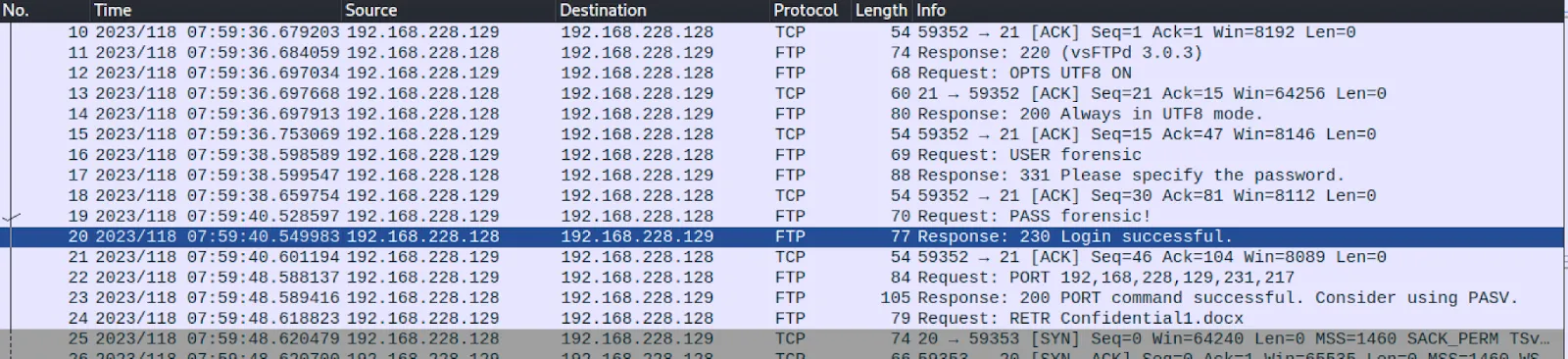
UTC Time of login: 230428-07:59:40
-
Further analysis of the packets shows that the user uploaded a few files to the server under the FTP-DATA protocol which include Confidential1.docx, Confidential2.docx, Confidential3.docx, Confidential4.docx, Confidential5.docx. There is good reason to believe that the flag is in one of these documents.
-
To extract the files from the packets, simply do the following:
File > Export Objects > FTP-DATA > Save All [files to any preferred directory]
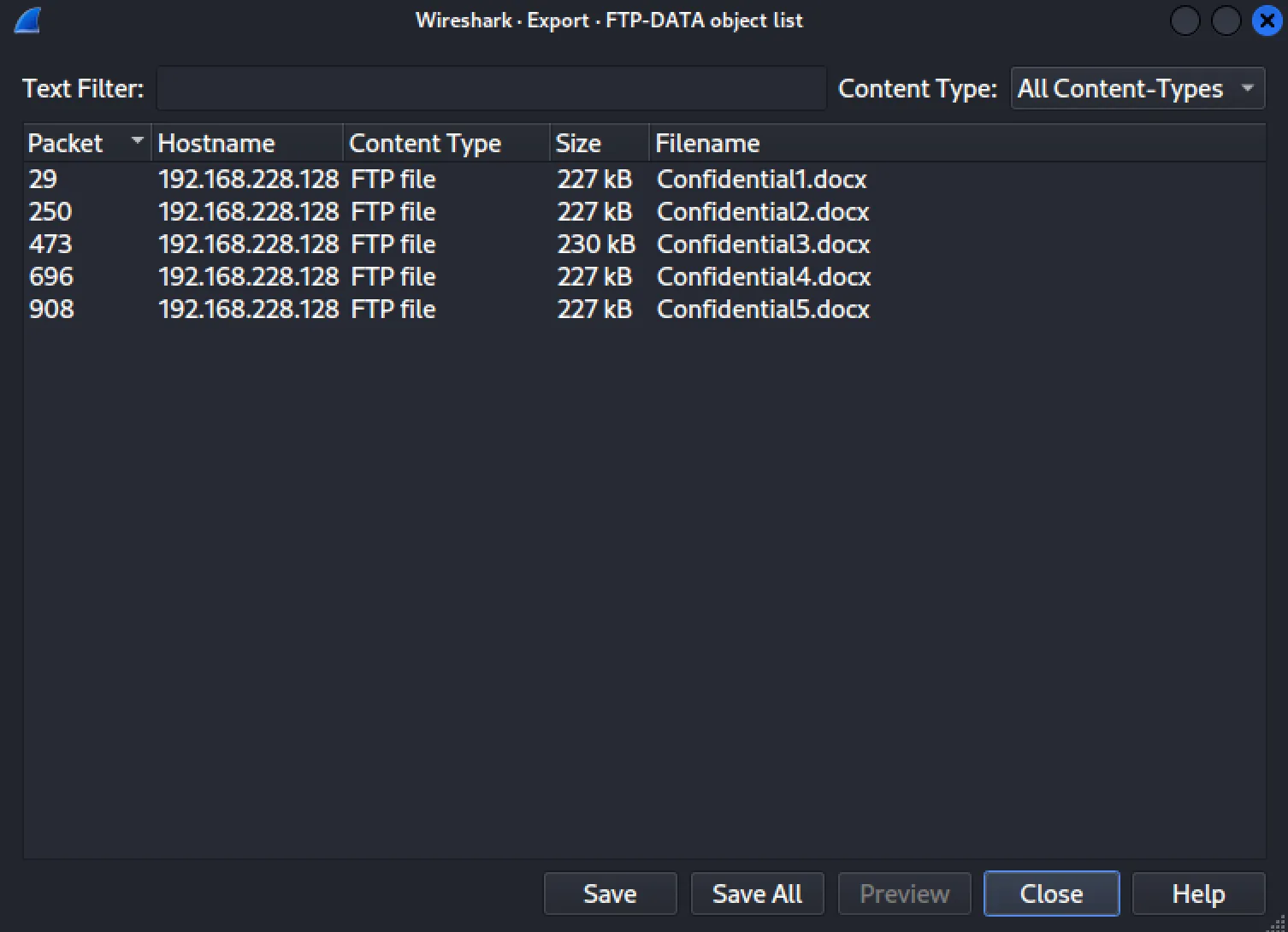
- Opening Confidential3.docx will give you the second half of the flag: PcApng_@N@ly5i5_15_3@zzzZZzzzy~!
Run 230428-07:59:40_PcApng_@N@ly5i5_15_3@zzzZZzzzy~! through an MD5 hash generator.
Flag: CDDC2023{1b8ab1433f7dbdd467193e3858b81206}
Tools Used
- Wireshark for network analysis